Behavior Trees in Unreal
- To build a behavior tree in unreal you need three items
- An AI - (AI Controller Blueprint) - ChaserAI
- A Blackboard - ChaserBlackboard
- An Behavior tree - ChaserTree
- The blackboard is the easist piece.
- It is just a place to hold data
- It is used to share data between nodes in the Behavior tree.
- In this case there are four variables.
- TargetToFollow, an object, thing the AI will chase.
- SelfActor, an object, a pointer to our character.
- HomeLocation, a vector, the AI's "base"
- TargetLocation, a vector, the last place the Character was spotted before it was lost.
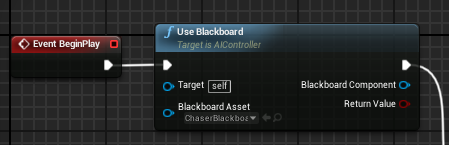
- The AI
- Remember, an NPC has an AI
- Sets the blackboard to use
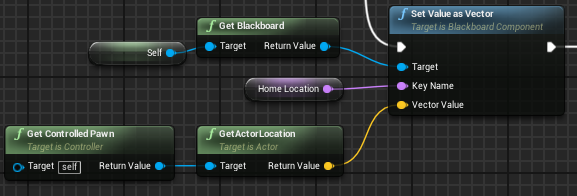
- Sets a value on this blackboard
- HomeLocation is a vector in the blackboard.
- So query for it.
- And set it by name.
-
- Fires the behavior tree.
-
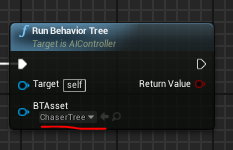
- Note the setting of the tree
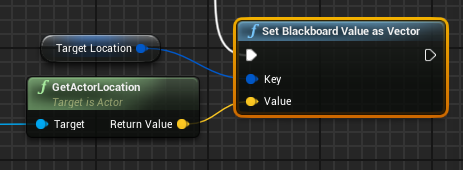
- Later we will get and set values from the blackboard.
- This net sets the Target Location to a computed vector.
-
- This net gets the object stored in TargetToFollow
-

- The behavior tree
- Click to add nodes.
- Drag to connect.
- Composite nodes can have services or decorators.
- A Service will execute while the branch is being executed.
- In this AI it is responsible for looking for the character.
- If it finds the character
- It sets the character location
- And marks the character as the thing to follow.
- For now, we will skip this service. It is quite complex.
- A decorator
- A conditional in the behavior tree.
- It is evaluated before the node performs the assigned task.
- If it is false, the node will not fire.
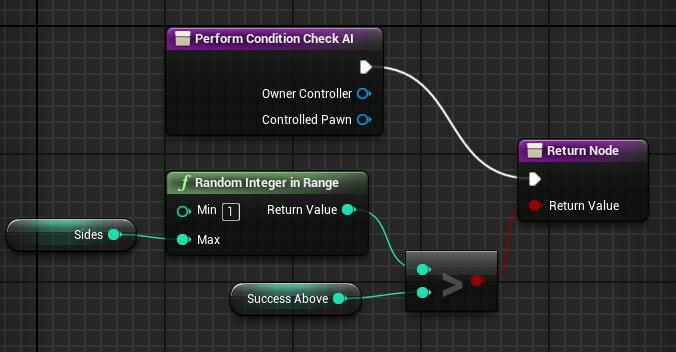
- I have built a very simple decorator, A dice check.
- I use this to decided if I should perform some random tasks in my chaser.
- It takes two parameters, the sides, and a success value
- Generates a random number
- And returs true if the random number is greater than the success value.
-
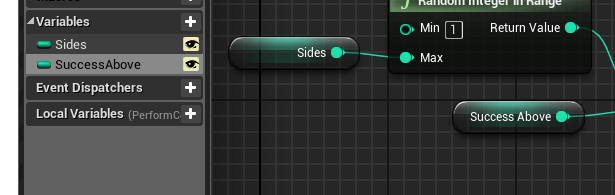
- Sides and SuccessAbove are integer variables.
- They are exposed to the next level up.
- And will act as parameters.
-
- I call this in two places in my behavior tree.
- First to see if my character should turn a bit when he is at home.
- Second to see if he should go on patrol.
-
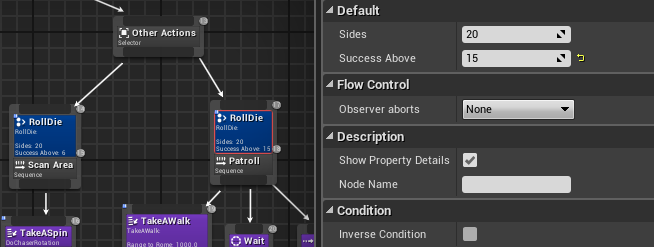
- Note the use of "Sides" and "SuccessAbove"
- Tasks
- There are a set of premade tasks
-
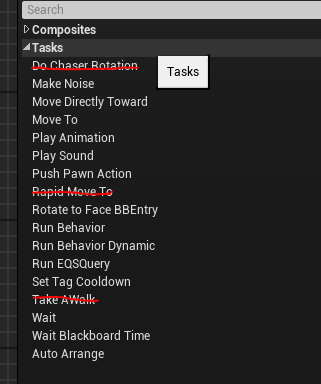
- Or we can build or own.